Kaynex portfolio background banner
PDF Editor for Adobe PDF Sign icon

PDF Editor for Adobe
PDF Sign

PDF Editor is an all-in-one document utility that makes it easy to create, edit, convert, scan, and manage PDF files. It combines AI-powered editing, OCR, PDF organization, and document scanning in one simple experience.

Platform Availability
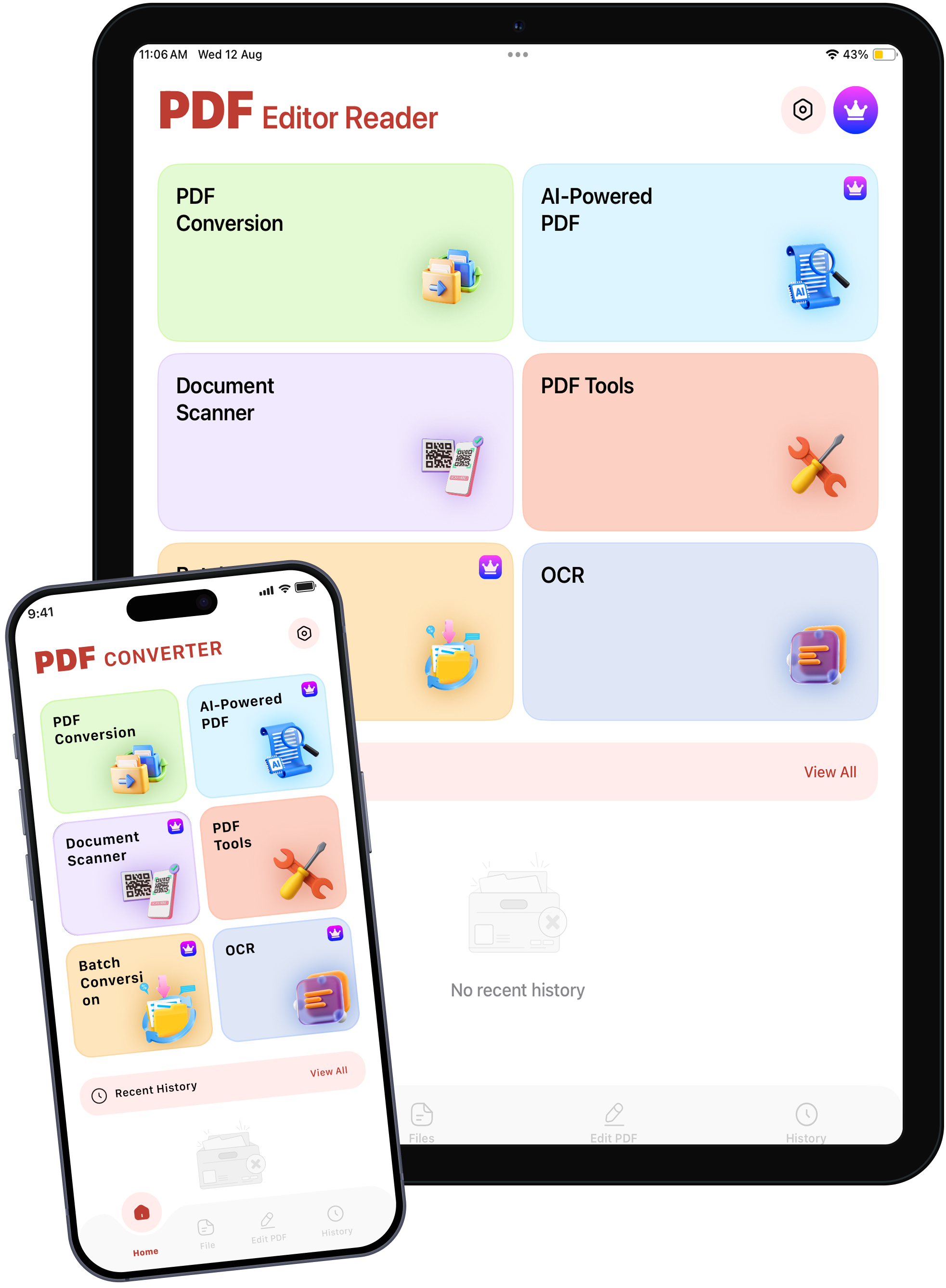
PDF Editor for Adobe PDF Sign

Project Overview

PDF Editor is a versatile productivity app built for managing documents with ease. It provides essential tools for editing, signing, scanning, converting, and organizing PDFs in one convenient workspace, helping users handle documents efficiently.
PDF Editor Project Overview

Platform

iOS & macOS

Project Type

Cross-Platform Application

Industry

Productivity & Documents

Project

2 Months

Key Features

PDF editing, digital signing, document scanning, file conversion, PDF organization, and AI-powered tools all designed to make document management faster, simpler, and more efficient for everyday use, from quick edits to complete document workflows.
PDF Editor Key Features

PDF Editing

Edit PDF content with ease

PDF Signing

Sign documents digitally

Document Scanning

Scan documents quickly

PDF Conversion

Convert files to PDF

PDF Organization

Merge, split, and manage files

AI PDF Tools

Work with PDFs using AI

App Screens

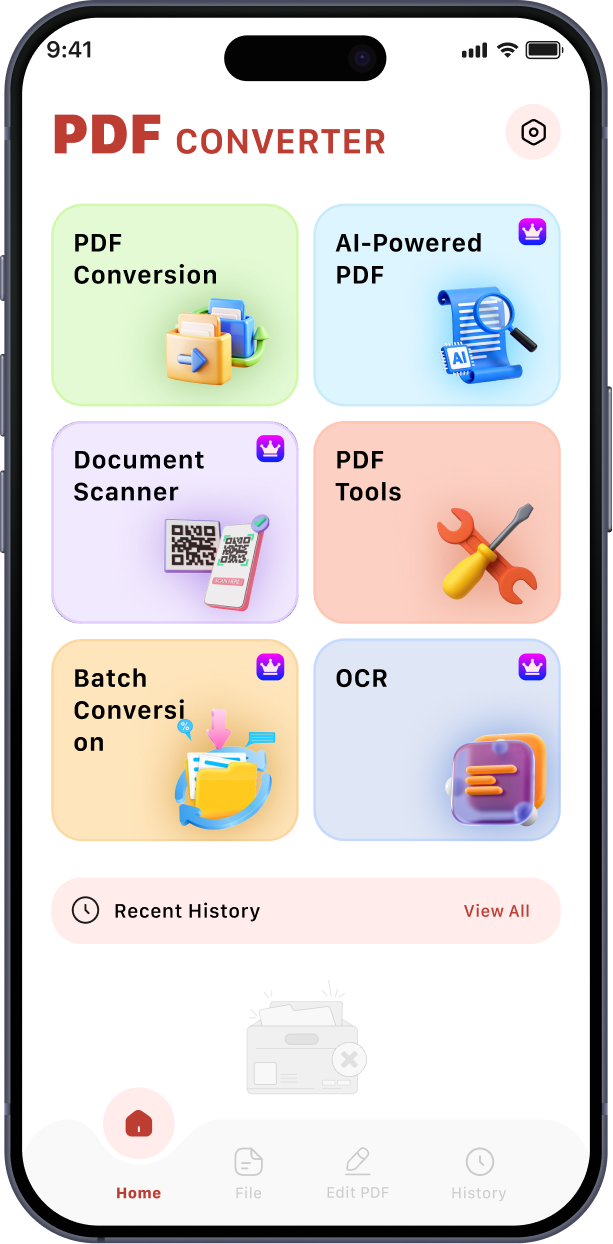
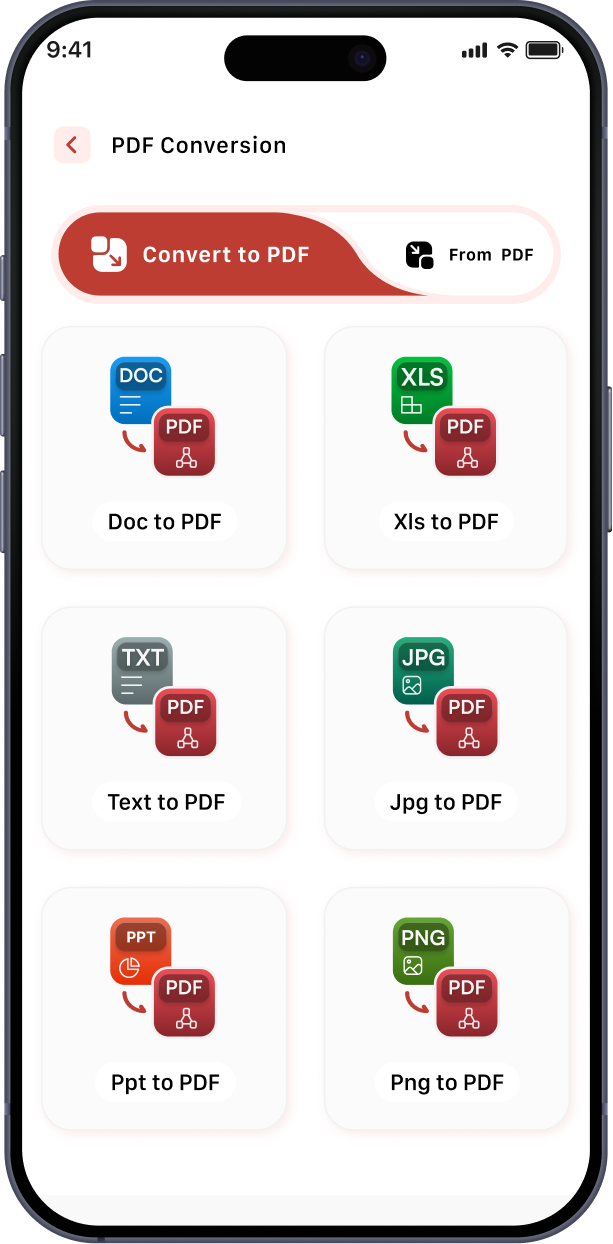
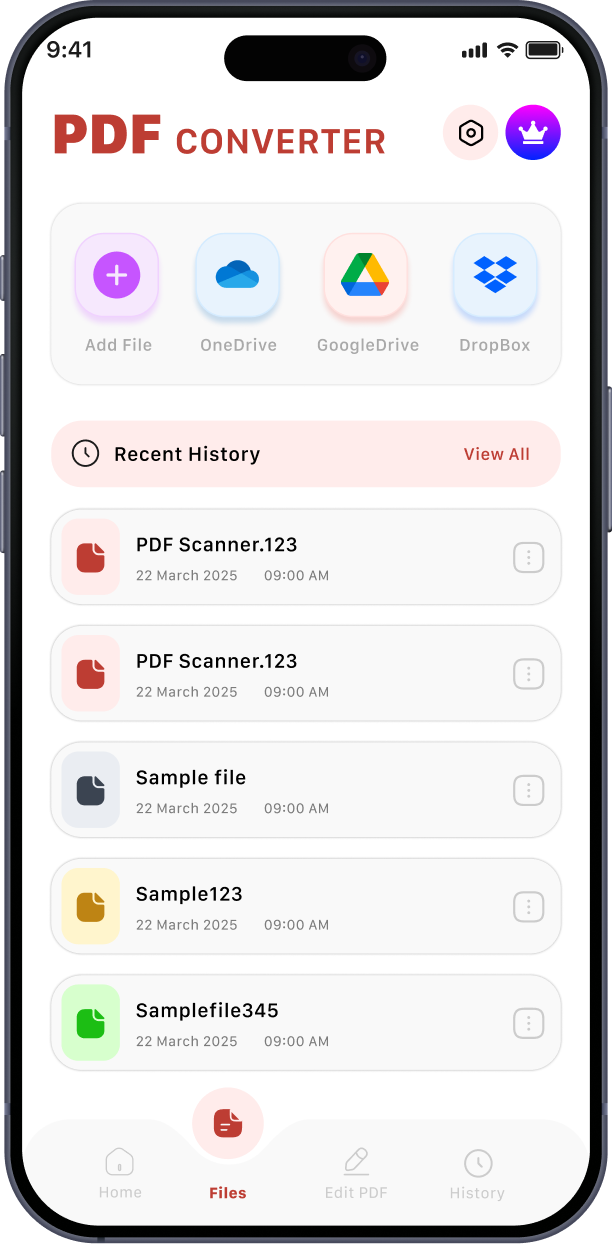
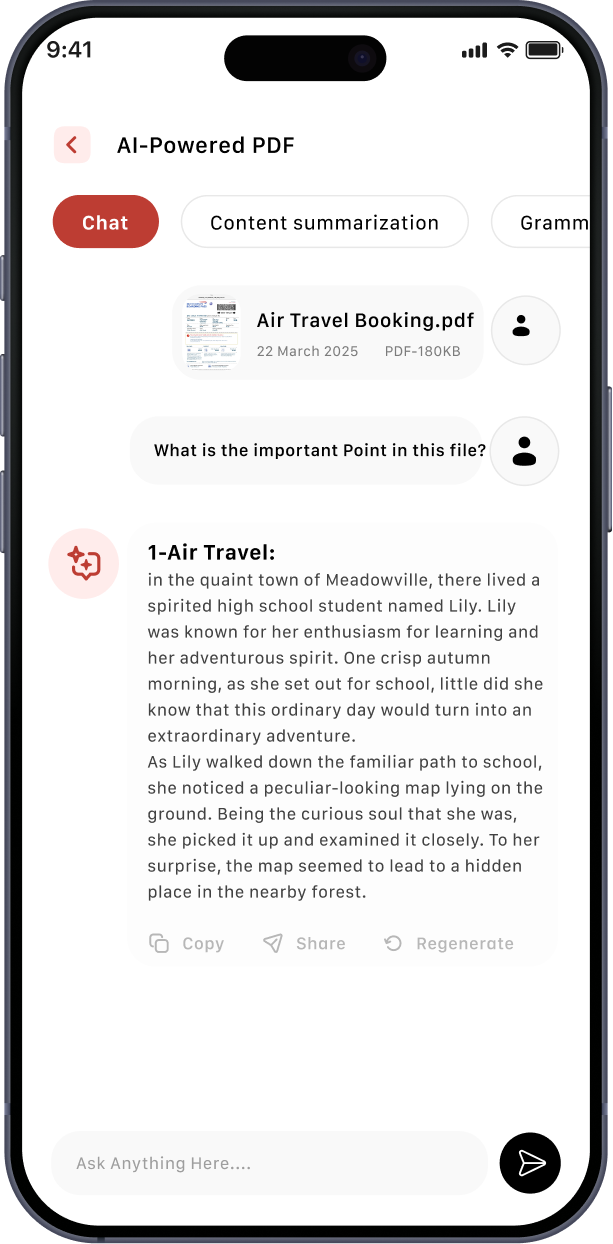
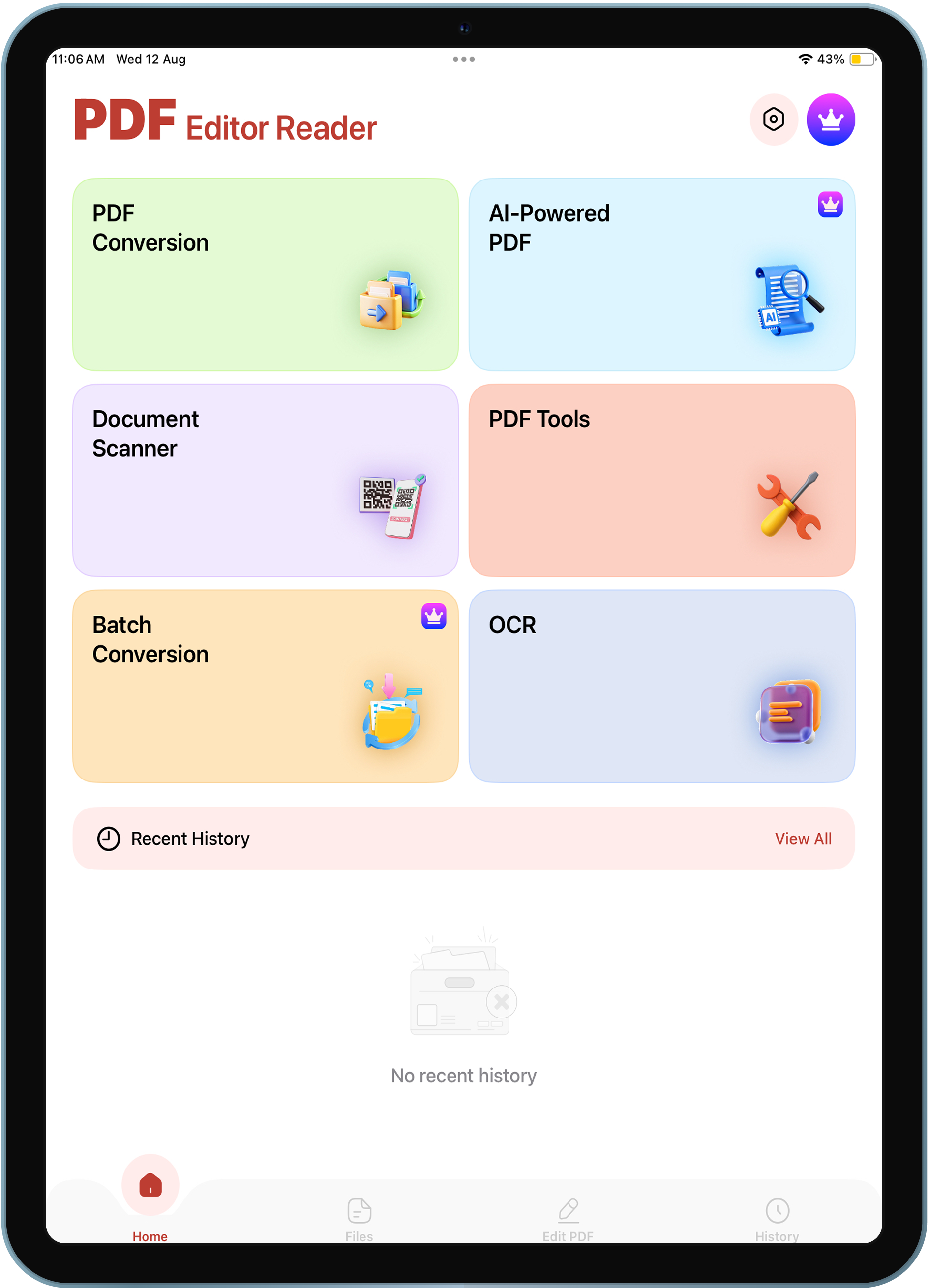
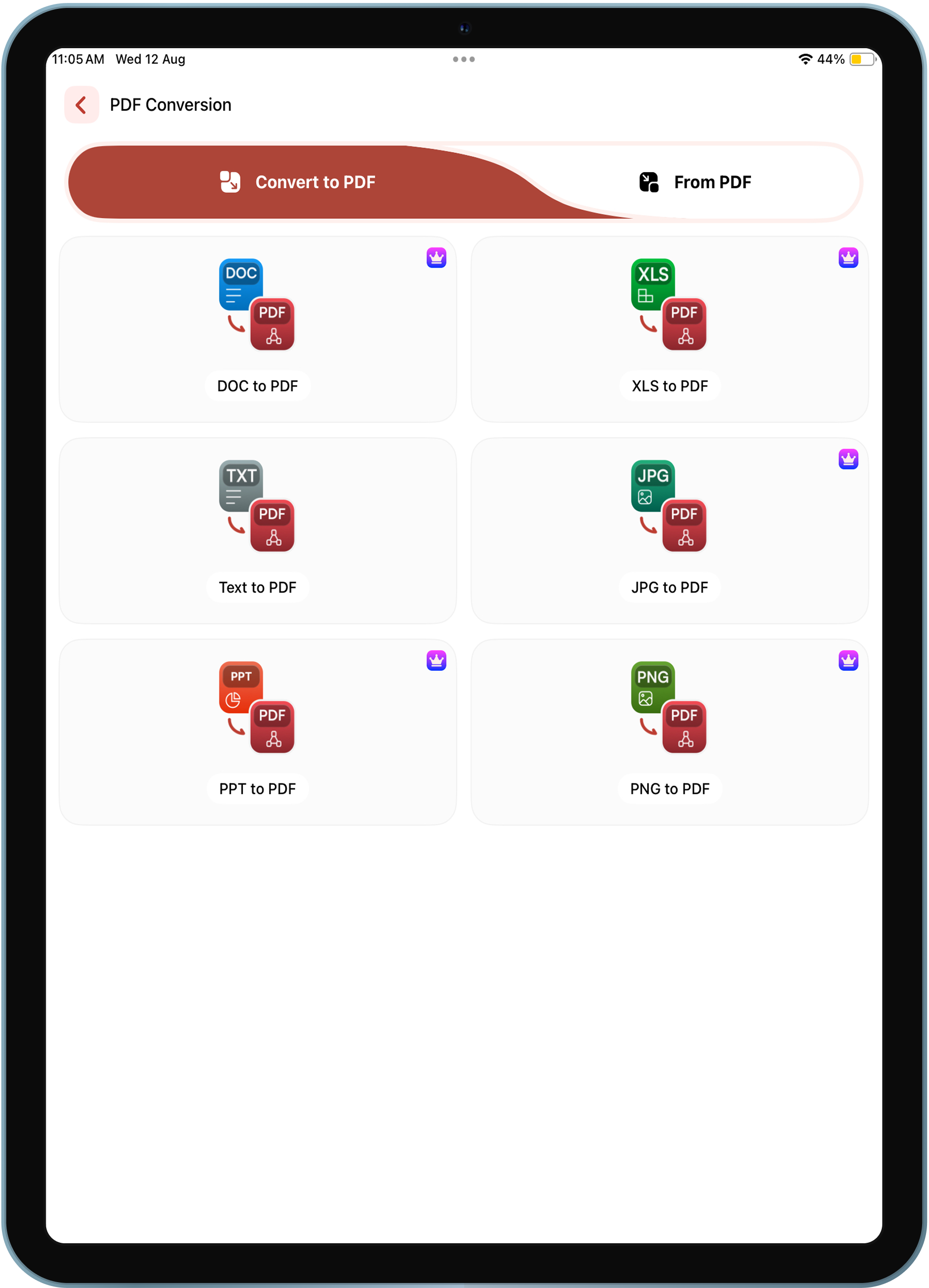
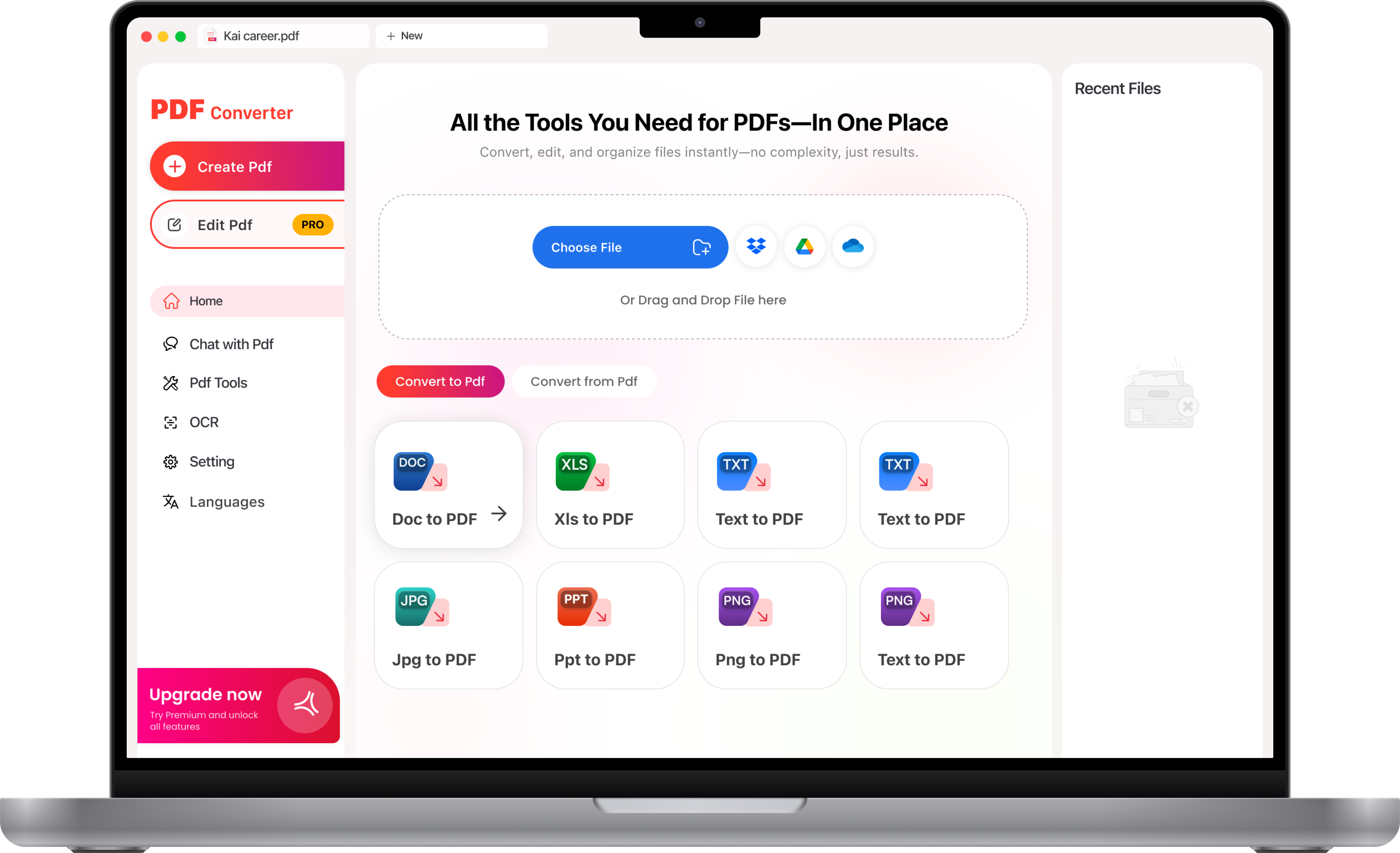
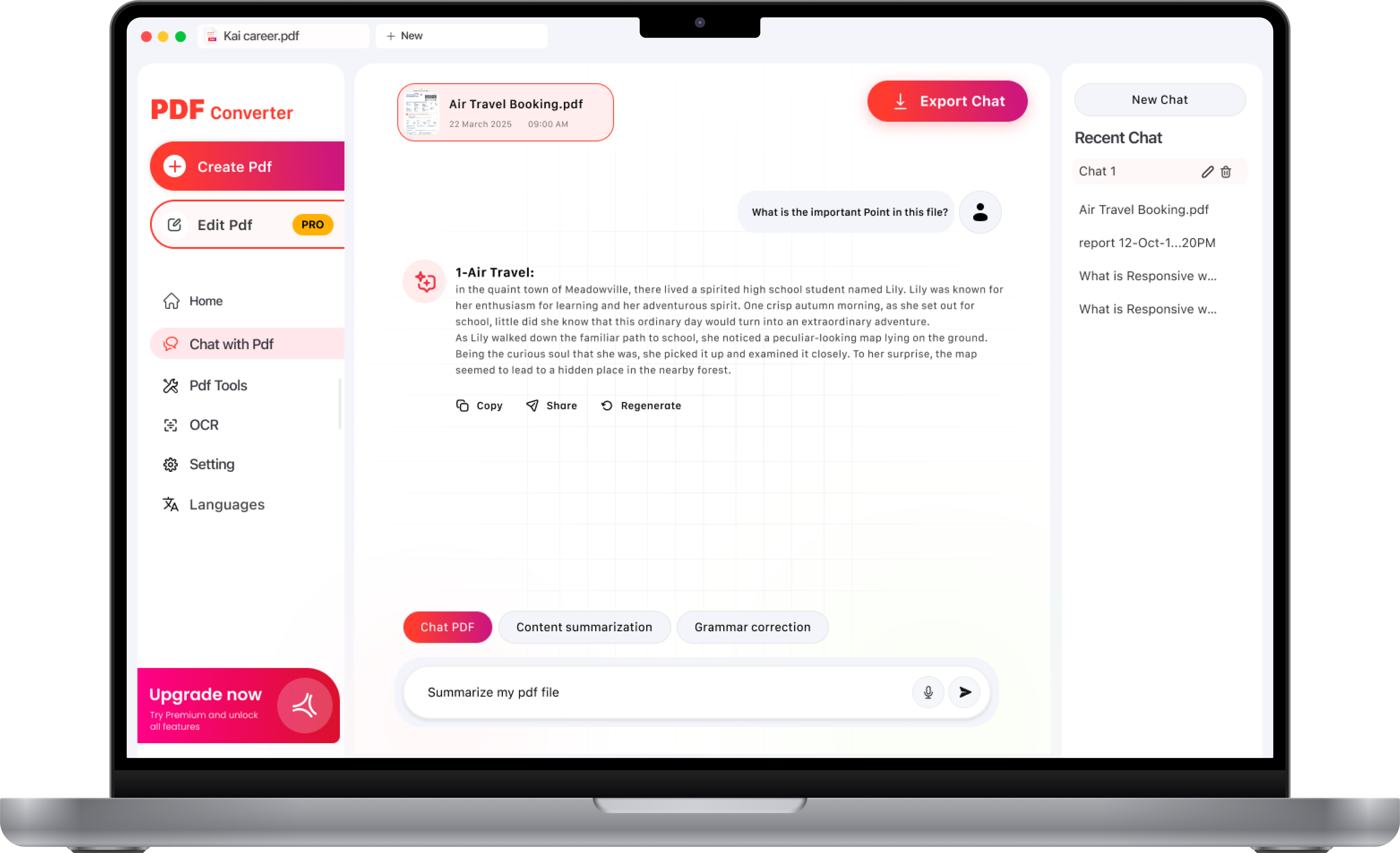
A clean, intuitive, and user-focused interface designed to make authentication simple and secure. Each screen is thoughtfully crafted to provide smooth navigation, clear interactions, and a consistent experience throughout app.
App Screens
Mobile app screen 1
Mobile app screen 2
Mobile app screen 3
Mobile app screen 4
Tablet app screen 1
Tablet app screen 2
Desktop app screen 1
Desktop app screen 2

Project Timeline

Our project followed a structured process from initial research and planning to design, development, and final testing. Each stage was carefully executed to ensure a smooth, user-focused, and high-quality product.
Project Timeline

Research & Planning

Wireframes

Design & Development

Development

Test & Deployment

Week 1
Week 2
Week 3
Week 4
Week 5
Week 6
Week 7
Week 8

Tech Stack

We used modern technologies and industry-standard tools to build a secure, scalable, and reliable application. The technology stack was carefully selected to support smooth performance, seamless integrations, and a consistent experience.
Tech Stack

Swift UI

Apple UI Framework

Kotlin

Android Programming Language

Firebase

Authentication & Firestore

Jetpack Compose

Modern Android UI Toolkit

Fast API

API Framework

AWS

Cloud Services Platform

REST API

Secure API Integration

GitHub

Version Control & Collaboration

Agile

Development Methodology

Postman

API - Testing

AI / ML

Intelligent Technologies

CI/CD

Automated Deployment

Other Tech We Support

We also work with a wide range of modern technologies, adapting our tech stack to meet your project’s specific needs and goals. Our flexible approach allows us to choose the right tools for every platform, feature, and project requirement.
Other Tech We Support

Flutter

Cross-platform Framework

Laravel

PHP Web Framework

Dart

Programming Language

Next JS.

React Web Framework

React Native

Cross-Platform Framework

Python

Programming Language

MySQL

Relational Database

Node.js

JavaScript Runtime